Some notes and tools for reverse engineering / deobfuscating / unminifying obfuscated web app code.

Scott Yu scootcho

0xdevalias
/ _deobfuscating-unminifying-obfuscated-web-app-code.md
Last active
September 10, 2026 12:02
Some notes and tools for reverse engineering / deobfuscating / unminifying obfuscated web app code

rain-1
/ llama-home.md
Last active
March 1, 2026 16:35
How to run Llama 13B with a 6GB graphics card
This worked on 14/May/23. The instructions will probably require updating in the future.
llama is a text prediction model similar to GPT-2, and the version of GPT-3 that has not been fine tuned yet. It is also possible to run fine tuned versions (like alpaca or vicuna with this. I think. Those versions are more focused on answering questions)
Note: I have been told that this does not support multiple GPUs. It can only use a single GPU.
It is possible to run LLama 13B with a 6GB graphics card now! (e.g. a RTX 2060). Thanks to the amazing work involved in llama.cpp. The latest change is CUDA/cuBLAS which allows you pick an arbitrary number of the transformer layers to be run on the GPU. This is perfect for low VRAM.
- Clone llama.cpp from git, I am on commit
08737ef720f0510c7ec2aa84d7f70c691073c35d.

usametov
/ topics-search.txt
Created
February 16, 2021 01:50
how to search github.com for multiple topics
This file contains hidden or bidirectional Unicode text that may be interpreted or compiled differently than what appears below. To review, open the file in an editor that reveals hidden Unicode characters.
Learn more about bidirectional Unicode characters
| Github.com ui .currently does not natively supoport search for multiple topic tags as of now. However their api allows you to query multiple tags. Below is a simple example to query github.com with ecs and go topic tags. | |
| curl -H "Accept: application/vnd.github.mercy-preview+json" \ | |
| https://api.github.com/search/repositories?q=topic:ecs+topic:go | |
| Response from the github can be rather verbose so lets filter only relavant info such repo url and description. | |
| curl -H "Accept: application/vnd.github.mercy-preview+json" \ | |
| https://api.github.com/search/repositories\?q\=topic:ecs+topic:go | jq '.items[] | {url:.url, description:.description}' |

This is inspired by A half-hour to learn Rust and Zig in 30 minutes.
Your first Go program as a classical "Hello World" is pretty simple:
First we create a workspace for our project:

alkavan
/ hardhat-openzeppelin-project.md
Created
December 12, 2020 10:37
Hardhat and OpenZeppelin project bootstrap for Ethereum contract development

This file contains hidden or bidirectional Unicode text that may be interpreted or compiled differently than what appears below. To review, open the file in an editor that reveals hidden Unicode characters.
Learn more about bidirectional Unicode characters
| class Spiderman { | |
| lookOut() { | |
| alert('My Spider-Sense is tingling.'); | |
| } | |
| } | |
| let miles = new Spiderman(); | |
| miles.lookOut(); |

ElfSundae
/ git-checkout-all-branches.sh
Last active
November 4, 2025 19:08
Git checkout all remote branches
This file contains hidden or bidirectional Unicode text that may be interpreted or compiled differently than what appears below. To review, open the file in an editor that reveals hidden Unicode characters.
Learn more about bidirectional Unicode characters
| #!/bin/bash | |
| remote=origin ; for brname in `git branch -r | grep $remote | grep -v /master | grep -v /HEAD | awk '{gsub(/^[^\/]+\//,"",$1); print $1}'`; do git branch --track $brname $remote/$brname || true; done 2>/dev/null |

dannguyen
/ aws-textract-sample-readme.md
Last active
October 30, 2023 05:49
A gist of AWS Textract sample/demo data for easy reference and preview, in case you're curious how well Amazon does when it comes to pdf-to-csv
AWS Textract is now out of closed beta. You can read the features page here, and you can also read about its limits here (e.g. no handwriting). Basically, if you've ever had to deal with the hell of getting structured data out of a PDF (scanned image or not), Textract is aiming for your business:
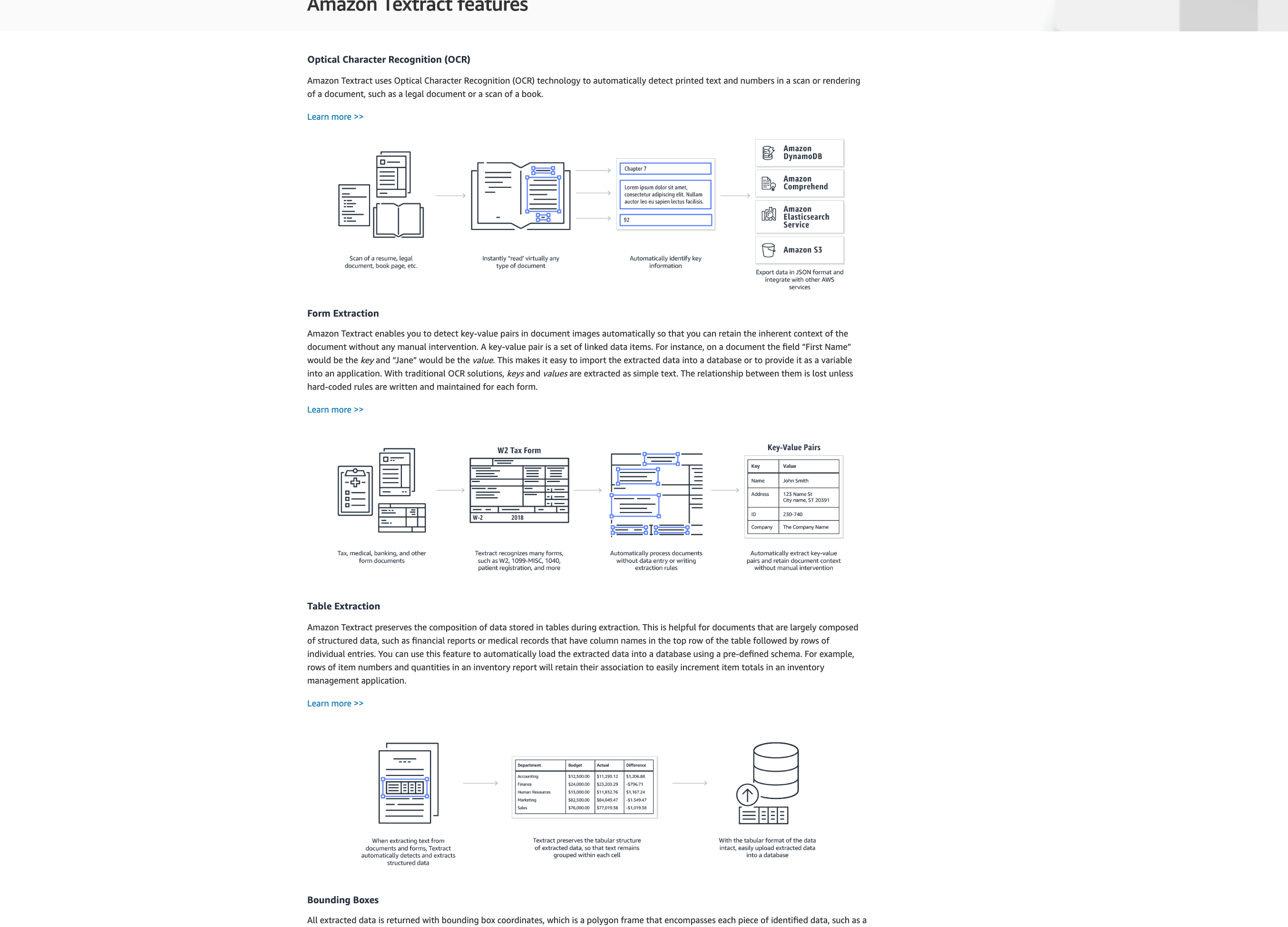
This short gist contains some of my brief observations about Textract and its demo, as well as direct links to the most relevant and important files, such as the Textract demo sample image and the resulting data files from Textract's API. If you have an AWS account, I h

Node/Express/REST/Promises/Mocha/Chai
- 01: Node Express Basics:
- 02: Express Middleware:
- 03: RESTful and Express Routers:
- 04: Promises:
- 05: Testing with Mocha Chai:
PostgreSQL and KNEX

amad-person
/ gist:f0ef85a2123a2e1fcf8052dcf09eef90
Last active
August 12, 2023 17:38
Bypass CSP restrictions in create-react-app Chrome extensions
While building a React Chrome extension using the create-react-app utility (v2.x), I came across the following error on loading my unpacked extension:
Refused to execute inline script because it violates the following Content Security Policy directive: “script-src ‘self’
blob: filesystem: chrome-extension-resource:”. Either the ‘unsafe-inline’ keyword, a hash (‘sha256-
GgRxrVOKNdB4LrRsVPDSbzvfdV4UqglmviH9GoBJ5jk=’), or a nonce (‘nonce-…’) is required to enable inline execution.
Basically, this error arises as Chrome (or almost any modern browser) will not allow inline scripts to get executed. This CSP restriction resulted in the above error as the build script in create-react-app bundles the .js files in <script> tags in the <body> of index.html.
NewerOlder