
startergo

startergo
/ delete_adobe_plugin.md
Last active
July 29, 2026 19:26
Run-time error '53': File not found: /Library/Application Support/Adobe/ MACPDFM/MacPDFM.framework/Versions/A/MacPDFM
cd '~/Library/Group Containers/UBF8T346G9.Office/User Content/Startup/' && rm Word/linkCreation.dotm && rm PowerPoint/SaveAsAdobePDF.ppam && rm Excel/SaveAsAdobePDF.xlam && open '/Applications/Microsoft PowerPoint.app' '/Applications/Microsoft Excel.app'
startergo
/ snow-leopard-clipboard-sync.md
Last active
June 1, 2026 13:32
Snow Leopard Qemu clipboard sync through SSH and Win98 clipboard sync
This file contains hidden or bidirectional Unicode text that may be interpreted or compiled differently than what appears below. To review, open the file in an editor that reveals hidden Unicode characters.
Learn more about bidirectional Unicode characters
| FROM --platform=linux/amd64 archlinux:base-devel | |
| RUN sed -i '/^#\[multilib\]/{N;s/#\[multilib\]\n#Include/\[multilib\]\nInclude/}' /etc/pacman.conf && \ | |
| pacman-key --init && \ | |
| pacman -Syu --noconfirm --disable-sandbox && \ | |
| pacman -S --noconfirm --disable-sandbox \ | |
| wget \ | |
| mingw-w64-gcc \ | |
| mingw-w64-binutils \ | |
| mingw-w64-crt \ |
This file contains hidden or bidirectional Unicode text that may be interpreted or compiled differently than what appears below. To review, open the file in an editor that reveals hidden Unicode characters.
Learn more about bidirectional Unicode characters
| diff --git a/src/mesa/state_tracker/st_manager.c b/src/mesa/state_tracker/st_manager.c | |
| index 6f2d2b8..xxxxxxxx 100644 | |
| --- a/src/mesa/state_tracker/st_manager.c | |
| +++ b/src/mesa/state_tracker/st_manager.c | |
| @@ -24,6 +24,7 @@ | |
| */ | |
| #include "main/mtypes.h" | |
| +#include <stdlib.h> | |
| #include "main/extensions.h" |
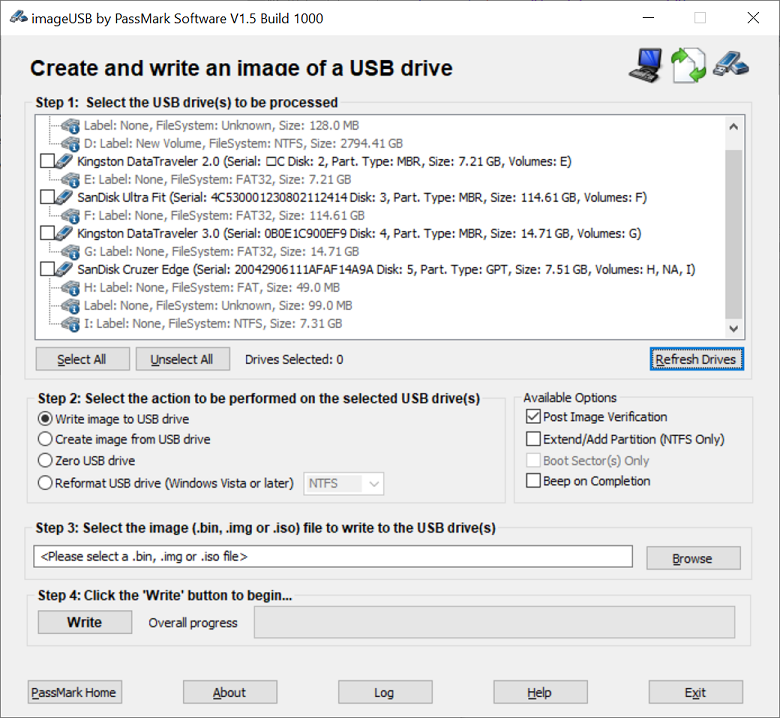
Share a locally attached USB device (e.g. a license dongle or USB mass storage key) from one Windows machine to another so it appears as a native physical USB device on the remote end.
Stack used:
- Host side: usbipd-win — shares the USB device over the network
- Client side: usbip-win2 — attaches the remote USB device as if it were locally plugged in
- Optional networking: Tailscale — simplifies connectivity across networks and eliminates firewall configuration
Macs Fan Control 1.4.12
MacPro5,1
CPU: Intel(R) Xeon(R) CPU X5690 @ 3.47GHz [100]
GPU: Radeon RX 480 [active], Radeon RX 480
macOS 10.15.2

Fans:
PCI-min{800}curr{798}max{4500}mode{2,TA0P,32,40}
PS-min{600}curr{914}max{2800}mode{2,Tp1C,38,48}
A user-friendly batch script that simplifies robocopy operations with an interactive interface, advanced exclusion options, and robust error handling.
- Interactive setup - Step-by-step prompts for source and destination
- Smart destination naming - Automatically creates properly named destination folders
- Edit options - Modify source, destination, or exclusions at any step
startergo
/ 0001-DO-NOT-MERGE-venus-hack-to-align-mappings-to-16KiB.patch
Last active
January 30, 2026 15:39
— forked from osy/ README.md
QEMU on Apple Silicon with Vulkan support
This file contains hidden or bidirectional Unicode text that may be interpreted or compiled differently than what appears below. To review, open the file in an editor that reveals hidden Unicode characters.
Learn more about bidirectional Unicode characters
| From 179f6f22addfcaa8582a9dd47bfbfc9d299b250a Mon Sep 17 00:00:00 2001 | |
| From: osy <osy@turing.llc> | |
| Date: Mon, 1 Dec 2025 23:15:06 -0800 | |
| Subject: [PATCH 1/2] DO NOT MERGE: venus: hack to align mappings to 16KiB | |
| --- | |
| src/virtio/vulkan/vn_renderer_virtgpu.c | 2 ++ | |
| 1 file changed, 2 insertions(+) | |
| diff --git a/src/virtio/vulkan/vn_renderer_virtgpu.c b/src/virtio/vulkan/vn_renderer_virtgpu.c |
NewerOlder