Skip to content

Instantly share code, notes, and snippets.

@tegansnyder
Last active October 29, 2024 13:49
Show Gist options
  • Select an option

  • Save tegansnyder/f8d4f3f283e1df26cf86 to your computer and use it in GitHub Desktop.

Select an option

Save tegansnyder/f8d4f3f283e1df26cf86 to your computer and use it in GitHub Desktop.
Disable McAffee Endpoint Protection OSX

method 1

sudo /usr/local/McAfee/AntiMalware/VSControl stopoas

alternatively

sudo defaults write /Library/Preferences/com.mcafee.ssm.antimalware.plist OAS_Enable -bool False
sudo /usr/local/McAfee/AntiMalware/VSControl stop
sudo /usr/local/McAfee/AntiMalware/VSControl reload

Or completely uninstall:

sudo -s
cd /usr/local/McAfee/
./uninstall EPM
@mathiasrw

Copy link
Copy Markdown

THANK YOU !!!

@nowells

nowells commented Dec 15, 2016

Copy link
Copy Markdown

This is fantastic. Really helps to run this before I run benchmarks.

@clattems

Copy link
Copy Markdown

Thank you so much for this! :) You're my hero lol

@Tv8

Tv8 commented Mar 3, 2017

Copy link
Copy Markdown

That was a great help. Thank you 👍

@Murali54

Murali54 commented Jun 7, 2017

Copy link
Copy Markdown

Thank you!

@at88mph

at88mph commented Jul 14, 2017

Copy link
Copy Markdown

This is great, thanks. The stop works, but can you think of a reason the ./uninstall EPM script would hang? This is McAfee 2.2.

@NickWarrior

Copy link
Copy Markdown

Good Job!

@5ay3h

5ay3h commented Jul 30, 2017

Copy link
Copy Markdown

@tegansnyder, fix for "completely uninstall": sudo /Library/McAfee/cma/scripts/uninstall.sh (source)

@joshoohaah

Copy link
Copy Markdown

This came up again in my google search..and it indeed worked on macOS 10.12.16. Many thanks

@simplymarcello

Copy link
Copy Markdown

Just what I needed! Thanks

@hari-haran

Copy link
Copy Markdown

Thank you!

@smarkars

Copy link
Copy Markdown

Perfect! Thanks!

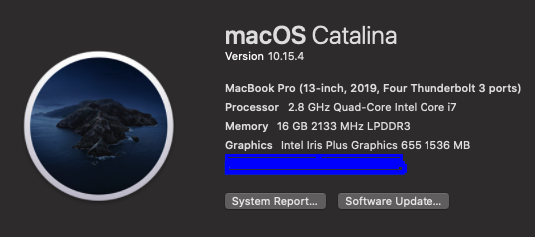
image

@mqharrisa

Copy link
Copy Markdown

@mrvincenzo

mrvincenzo commented Dec 23, 2018

Copy link
Copy Markdown

Few more tricks. I had to run each of them twice.

To disable Firewall

sudo /usr/local/McAfee/StatefulFirewall/bin/StatefullFirewallControl stop

To disable WebProtection

sudo /usr/local/McAfee/WebProtection/bin/WPControl stop

@devofer

devofer commented Dec 27, 2018

Copy link
Copy Markdown

Thank you!!

@benmingli

Copy link
Copy Markdown

Love it... although

ghost commented Feb 8, 2019

Copy link
Copy Markdown

Thank you so much!

@Yorkshireman

Yorkshireman commented May 3, 2019

Copy link
Copy Markdown

Thank the lord - this was driving me insane. My system is Sierra 10.12.6

ghost commented May 14, 2019

Copy link
Copy Markdown

Thank you all!

@trinitronx

Copy link
Copy Markdown

McAfee on our team's company managed Macbook laptops suddenly start using > 100% RAM on our machines, causing swapping, applications to freeze and eventually complete machine lockup. It's been a huge productivity killer.

Ran everything except the last uninstall command, lest this is not allowed, but the McAfee processes keep respawning! It's like the anti-virus software is acting like a virus in and of itself?! Then it's only a matter of time until they eat up all the machine's resources again.

It appears that there are also:

  • LaunchDaemons
  • LaunchAgents
  • Kernel extensions (Mac's version of kernel modules)

The first thing restarted seems to be a kernel module called com.McAfee.FMPSysCore.

Running these commands frequently in a loop shows that it's the first thing that comes back:

sudo ps auxww | grep -i 'VShieldScanner\|VShieldScanManager\|masvc\|McAfee' | grep -v grep   | awk '{ print $2 }'  | sudo xargs kill -9     ;   kextstat  | grep -i mcafee | awk '{ print $6 }'  | sudo xargs -n1 -I{} kextunload -verbose 2 -bundle-id '{}'

I still haven't found a way to 100% disable them, and don't want to resort to full uninstall yet... still waiting on helpdesk ticket to see what they say.

@strugs

strugs commented Oct 25, 2019

Copy link
Copy Markdown

Thank you very much!
McAfee Endpoint Security for Mac Threat Protection v10.2.3 on macOS 10.14.6 drove my startup time to a near standstill. Disabling Threat Protection has made startup snappy once again.

The 'alternatively' commands above did the trick.

Thank you again!
Andrew.

@linuxtechie

Copy link
Copy Markdown

Thank U
Thank U
Thank U!

My insanity has been restored!

image

@jeanraymonddaher

Copy link
Copy Markdown

thank you very useful

@montaro

montaro commented Nov 3, 2020

Copy link
Copy Markdown

Thanks!

@cchwala

cchwala commented Aug 17, 2021

Copy link
Copy Markdown

Thanks!!!

@arc41t3ct

Copy link
Copy Markdown

One more thing that can be done is to turn off the KeepAlive in the plist of all mcafee files in /Library/LaunchDaemons. Once you restart you machine then you can just kill all the processes. This is useful because you can use a script on startup to disable them and if you Corporate IT notices you just restart without running the script and the system is back to normal running this piece of 5!-!!t software.

@bulla101-cymk

Copy link
Copy Markdown

Few more tricks. I had to run each of them twice.

To disable Firewall

sudo /usr/local/McAfee/StatefulFirewall/bin/StatefullFirewallControl stop

To disable WebProtection

sudo /usr/local/McAfee/WebProtection/bin/WPControl stop

Is there a way to turn these back on? Previously a restart would enable everything again, but no longer with OS Sonoma.

Sign up for free to join this conversation on GitHub. Already have an account? Sign in to comment