
PS C:\Users\tik> wsl --list --online
The following is a list of valid distributions that can be installed.
Install using 'wsl.exe --install <Distro>'.

NAME               FRIENDLY NAME
Ubuntu             Ubuntu
Debian             Debian GNU/Linux
kali-linux         Kali Linux Rolling
SLES-12            SUSE Linux Enterprise Server v12
SLES-15            SUSE Linux Enterprise Server v15
Ubuntu-18.04       Ubuntu 18.04 LTS
Ubuntu-20.04       Ubuntu 20.04 LTS
Ubuntu-22.04       Ubuntu 22.04 LTS
OracleLinux_8_5    Oracle Linux 8.5
OracleLinux_7_9    Oracle Linux 7.9
Import Rocky to WSL
set up wsl conf file
on single/specified wsl distro
/etc/wsl.conf
on all distro on wsl (global)
C:\Users\username\.wslconfig
use ni on powershell
ni .wslconfig
notepad.exe .wslconfig
[boot]
systemd=true
removing docker from wsl
fix for failed to connect by alyleite
sudo apt-get update && sudo apt-get install -yqq daemonize dbus-user-session fontconfig
sudo daemonize /usr/bin/unshare --fork --pid --mount-proc /lib/systemd/systemd --system-unit=basic.target
#ps auxf | grep systemd # get systemd PID
ps auxf | grep 'systemd/systemd --system' | tail -n1 | awk '{print $2}' > systemd.pid.temp; cat systemd.pid.temp;
TEST_VAR=$(cat systemd.pid.temp); echo $TEST_VAR
touch log.file
### WORK IN PROGRESS - NEED TO FIX ###
#exec sudo nsenter -t $TEST_VAR -a su - log.file
snap version
Open powershell or Git bash.
Make directory that is for all your git packages
mkdir my.personal.git
cd my.personal.git
git clone https://github.com/microsoft/winget-cli.git
Build it yourself.
Or follow this and install from App Installer/Microsoft Store
Also Install Windows Terminal
home directory of windows subsystem for linux
$ explorer.exe .
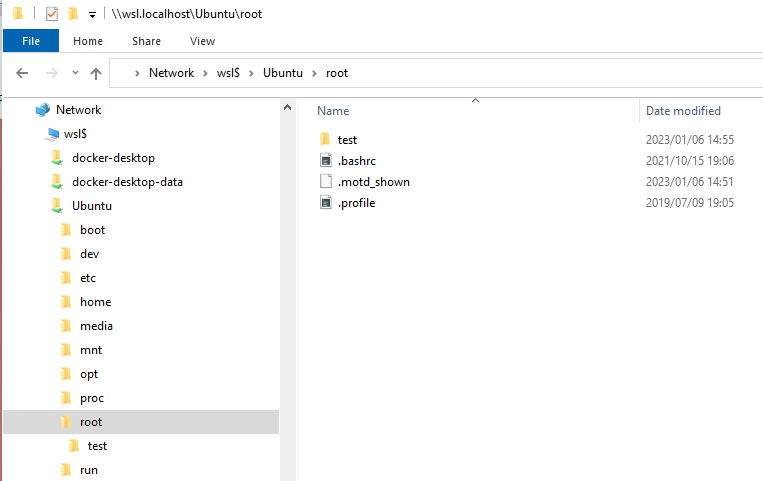
In Powershell, voila!
wsl -u root
changing default username login on Ubuntu on Windows
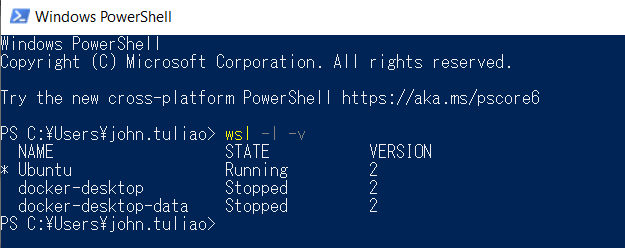
On Powershell check WSL version
wsl -l -v
On Windows CMD change it to existing user or root
#option1
ubuntu config --default-user <username>
#option2
ubuntu config --default-user root
Add user and edit /etc/wsl.conf as necessary and terminate distro on powershell
wsl --terminate <distro name>
If you're using WSL1. Restart LxssManager
If you're using WSL2. No need for Restart
sc stop LxssManager
sc start LxssManager

snapd troubleshooting! -> https://gist.github.com/alyleite/ca8b10581dbecd722d9dcc35b50d9b2b