Skip to content

Instantly share code, notes, and snippets.

View vanderhoop's full-sized avatar
💭
🤷🏻‍♂️

Travis Vander Hoop vanderhoop

💭
🤷🏻‍♂️
View GitHub Profile

Framing WDI

You're all adults with 20+ years of experience as learners, and you know your learning history best. The purpose of the following exercise is to examine your learning history to identify your perceived strengths and weaknesses as a student, so that you can make the most of your experience in WDI.

Exercise Objectives

  • gain self-awareness as a student
  • gain practical repetitions working in the command line
Directions

Timers Continued

We just added some timers to our page as a class. Now it's your turn.

Directions

  1. use setInterval to add a <p> tag to the page every 5 seconds. The new paragraph tag should read, "Nah nah nah nah nah nah, nah nah nah, hey Jude"
  2. Set a timeout so that after 15 seconds on the page, an <p> tag appears. The <p> should be red in color and read, 'Wow, you must really like this page...'
  3. Add a click event listener to the lone`` element on the page. This listener should disable the interval and the timeout that you set in #2 and #3, respectively, as well as remove the button from the DOM (We won't be needing it anymore).

Event Listener Sandbox

We started adding event listeners to the divs on the DOM. Now it's your turn to add additional event listeners.

Exercise Objectives

  • get meaningful reps adding event listeners to DOM elements.
  • stop event propagation where appropriate
  • practice self-directed learning

Directions

The Wasteland

We just started using jQuery to to the barren landscape as a class. Now it's your turn. Keep going.

Directions

  1. Create a div element and save it to the variable waldo.
  2. Give this div the id of waldo.
  3. Append the div to the <body> tag.
  4. Create a ul element and save it to a sensibly named variable.

The PG Gem Cheatsheet

To use the pg gem, you first have to require it.

require 'pg'

Great, now to open a line of communication between your Ruby program and your postgres database, you will use the PG object's ::connect method, passing it a hash with key-value pairs for :host and :dbname).

Science Fair Starter Questions

  • What prompt did you choose?
  • What does your app do?
  • What would you like your app to do next?
  • What gave you the most trouble? (ask to see the code)
  • What are you most proud of? (ask to see the code)

Straight CURDing

We're going to continue with the work from today and finish the following user stories.

Admin User Stories

image

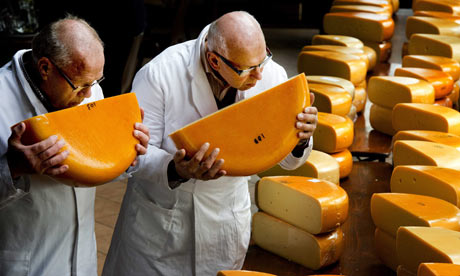
  1. As an admin, I can seed the database with a json file of cheeses, so that I can develop and test my application better.
  2. As an admin, I can visit a minimalist index page that shows all of the cheese resources.

Config for Shotgun

  1. gem install shotgun
  2. reload your terminal
  3. In your app.rb file, change the classname from Application to App.
  • Note: It will still inherit from Sinatra::Base
  1. Replace the contents of your config.ru file with the following code.
require 'pry'

Sinatra Calculator

Objective:

  • Build a simple Sinatra app with GET and POST

Prompt

  • You will be building a calculator once again, but this time it will work with the internet.
  • You should make git commits as you finish each phase, so you can see the history.

####Specification:

Intro to Yield

  • write a method, yields_to_block, that yields to a block and executes it just once.
    • invoke yields_to_block without passing it a block. What happens?
  • write a method, encore!, that yields to the same block twice.
    • invoke encore! by passing it a block that prints the title of your favorite song to the console.
  • write a method, applaud_all_acts, which takes a block and executes it 5 times. After each execution of the block, the method should print (applause) to the console.
    • invoke this method with some golf-related code. Golf people applaud everything.