
Think Xfce looks dated? Want a conventional Ubuntu experience? This tutorial will guide you through installing Ubuntu's default desktop environment, GNOME.
GNOME is one of the more complex — and that means more difficult to run — desktop environments, so for years people couldn't figure out how to run it on WSL 2. On WSL 1 it could only run using very complicated methods that didn't transfer to well WSL 2. Any forlorn attempts to run it on WSL 2 only resulted in a smoldering heap of error messages.
But now you can!
- WSL 2
- Ubuntu 20.04 (other distros not tested)
- An X server for Windows, such as VcXsrv
- Basic knowledege on how to run GUI apps with WSL 2 (not required but highly recommended)
You've been regularly updating your distro, haven't you?
sudo apt update
sudo apt upgrade
Install GNOME: (maybe go eat a snack while it's installing?)
sudo apt install ubuntu-desktop gnomeOpen up your ~/.bashrc:
nano ~/.bashrcAnd paste this in at the end and save:
export DISPLAY=$(cat /etc/resolv.conf | grep nameserver | awk '{print $2}'):0
export LIBGL_ALWAYS_INDIRECT=1
If you try to start GNOME now, you'll get a lot of errors. Something along the lines of this, but a ton more errors:
Unable to init server: Could not connect: Connection refused

(gnome-session-check-accelerated:6054): Gtk-WARNING **: 11:04:51.973: cannot open display: :0
Unable to init server: Could not connect: Connection refused

(gnome-session-check-accelerated:6055): Gtk-WARNING **: 11:04:52.234: cannot open display: :0
gnome-session-binary[6044]: WARNING: software acceleration check failed: Child process exited with code 1
gnome-session-binary[6044]: CRITICAL: We failed, but the fail whale is dead. Sorry....
The trick is to enable systemd: (note that this does break a lot of stuff such as Visual Studio Code Remote)
git clone https://github.com/DamionGans/ubuntu-wsl2-systemd-script.git
cd ubuntu-wsl2-systemd-script/
bash ubuntu-wsl2-systemd-script.sh
Now shut down WSL 2: (run this in Windows)
wsl --shutdownFirst, fire up your X server on Windows. Make sure you let it through your firewall and disable access control.
Now, start up Ubuntu again and start GNOME:
gnome-sessionIf you don't get any error messages, you should be good. Wait a few seconds for GNOME to start up.
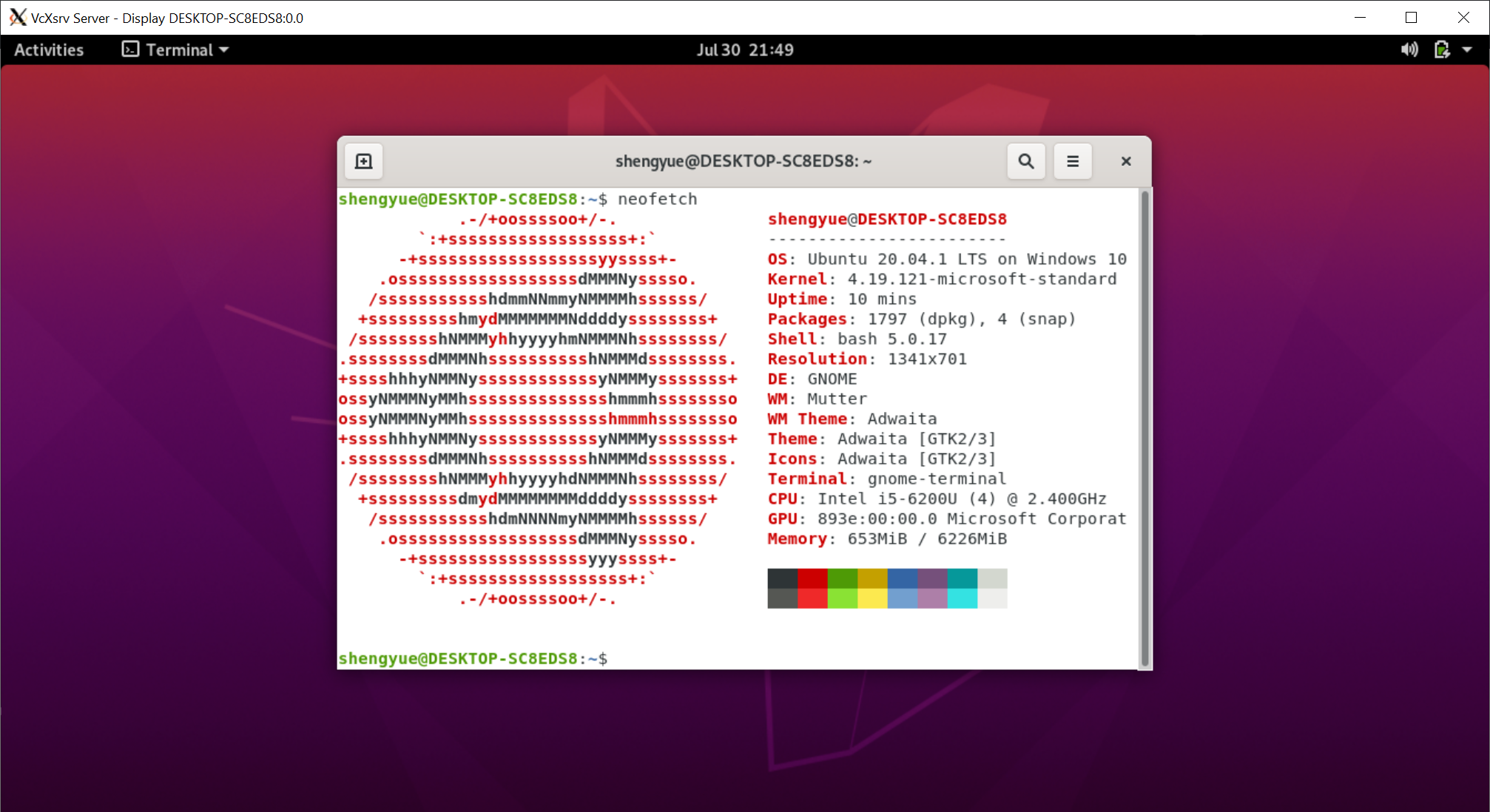
Now you have a great GUI desktop and you won't need any intensive virtual machines anymore!
Profit?
- The settings app and app store think you are not connected to the internet yet you can
ping google.com? - You can disable the screensaver with
gsettings set org.gnome.desktop.session idle-delay 0. - You can also try KDE Plamsa using a similar method! Just
sudo apt install kde-plasma-desktopinstead and start it withstartplasma-x11.
If you can't get this to work, try Xfce.
If you still can't get it to work, you can ask for help on an online forum such as r/bashonubuntuonwindows.


Oh no! Something has gone wrong.
A problem has occurred and the system can't recover. All extensions have been disabled as a precaution.
Unable to launch may be because of this "git clone https://github.com/DamionGans/ubuntu-wsl2-systemd-script.git
cd ubuntu-wsl2-systemd-script/
bash ubuntu-wsl2-systemd-script.sh" and out was "Cannot execute daemonize to start systemd."