
Created
July 11, 2021 07:55
-
-
Save yjunechoe/6742969093f9ce266fe9ce2f33e49d27 to your computer and use it in GitHub Desktop.
interactive rmarkdown code blocks
This file contains hidden or bidirectional Unicode text that may be interpreted or compiled differently than what appears below. To review, open the file in an editor that reveals hidden Unicode characters.
Learn more about bidirectional Unicode characters
| --- | |
| title: "interactive" | |
| output: | |
| html_document: | |
| highlight: tango | |
| --- | |
| <script src="https://d3js.org/d3.v7.js"></script> | |
| <style> | |
| pre.sourceCode.numberSource.js.numberLines { | |
| margin: 0; | |
| padding: 9.5px; | |
| } | |
| pre.sourceCode.numberSource.js.numberLines code > span { | |
| left: 0; | |
| } | |
| pre.sourceCode.numberSource.js.numberLines code > span > a { | |
| display: none; | |
| } | |
| </style> | |
| ``` | |
| <svg id='svg-1' width="100%" height=100> | |
| <rect width="100%" height=100 fill="#EBEBEBFF"></rect> | |
| <circle cx=100 cy=50 r=25 fill="blue"></circle> | |
| </svg> | |
| ``` | |
| <svg id='svg-1' width="100%" height=100> | |
| <rect width="100%" height=100 fill="#EBEBEBFF"></rect> | |
| <circle cx=100 cy=50 r=25 fill="blue"></circle> | |
| </svg> | |
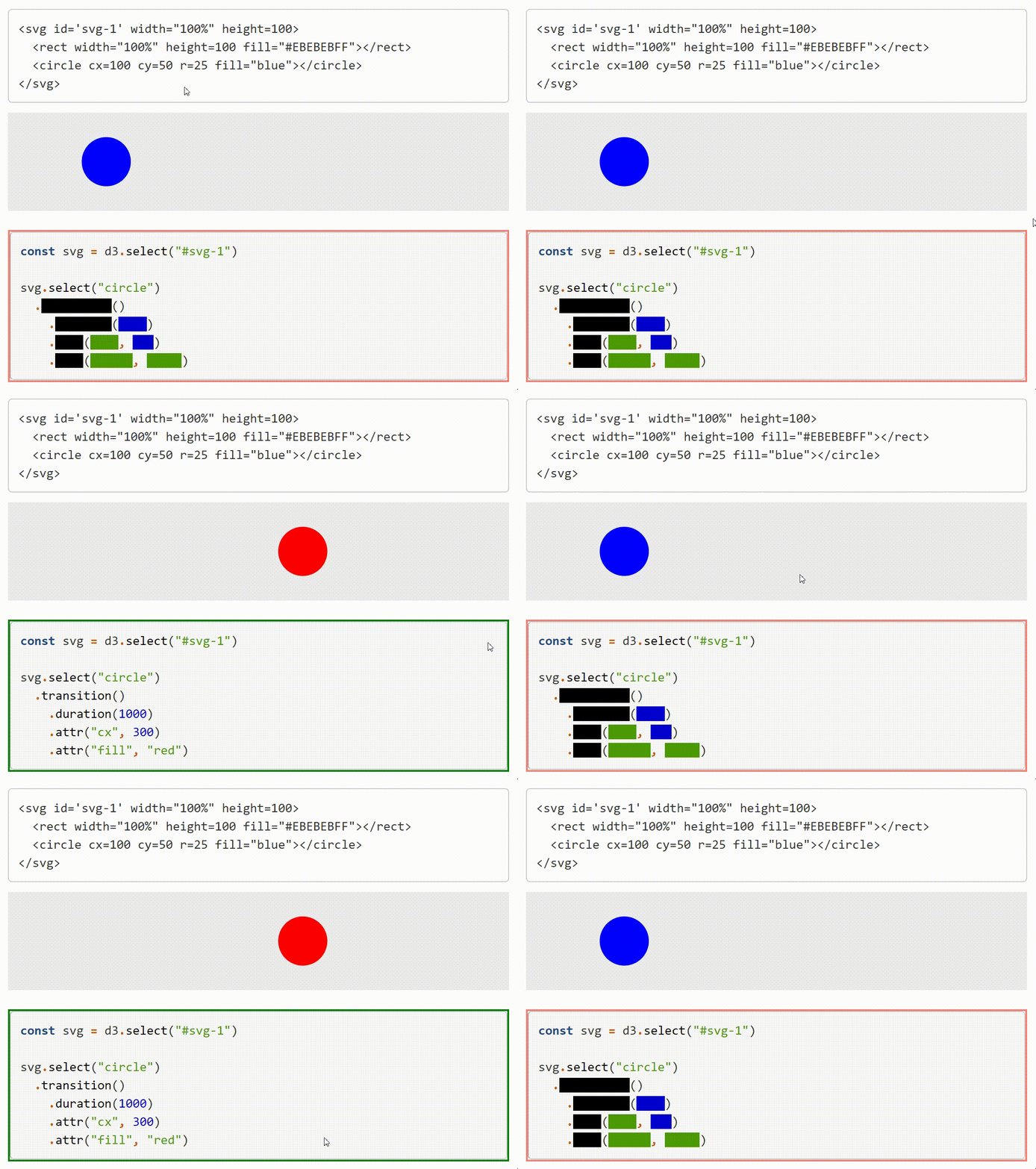
| ```{js svg-1-code, eval=FALSE, attr.source='id="svg-1-hoverable"', class.source='numberLines sourceHoverable'} | |
| const svg = d3.select("#svg-1") | |
| svg.select("circle") | |
| .transition() //#<< hide | |
| .duration(1000) //#<< hide | |
| .attr("cx", 300) //#<< hide | |
| .attr("fill", "red") //#<< hide | |
| ``` | |
| ```{js, echo=FALSE} | |
| // setup container and content | |
| const sourceDiv = d3.select("#svg-1-hoverable").style("border", "2px solid salmon") | |
| const initNode = d3.select("#svg-1").node().outerHTML | |
| // setup hidden rows | |
| const hiddenRows = sourceDiv.select("code").selectChildren(function(c) { | |
| const last = c.lastChild | |
| return last.className === "co" && last.innerText === "//#<< hide" | |
| }) | |
| // initialize styles | |
| hiddenRows.selectChildren((c) => c.className === "co" || c.tagName == "A").remove() | |
| const hiddenCells = hiddenRows.selectChildren((c) => c.className !== "op") | |
| .style("background-color", "currentColor") | |
| // mouse event listeners | |
| sourceDiv | |
| .on("mouseenter", function() { | |
| sourceDiv.style("border", "2px solid green") | |
| hiddenCells.style("background-color", "transparent") | |
| <<svg-1-code>> | |
| }) | |
| .on("mouseleave", function() { | |
| sourceDiv.style("border", "2px solid salmon") | |
| hiddenCells.style("background-color", "currentColor") | |
| d3.select("#svg-1").node().outerHTML = initNode | |
| }) | |
| ``` |

Author
yjunechoe
commented
Jul 11, 2021
Author
Repeated svg code at the top could be replaced with the following using asis and {=html}
```{eval = FALSE}
<<svg-node>>
```

````{=html}
```{asis svg-node, echo=TRUE}
<svg id='svg-1' width="100%" height=100>
  <rect width="100%" height=100 fill="#EBEBEBFF"></rect>
  <circle cx=100 cy=50 r=25 fill="blue"></circle>
</svg>
```
````
Sign up for free
to join this conversation on GitHub.
Already have an account?
Sign in to comment