
Last active
February 5, 2025 08:47
-
-
Save hirejordansmith/1ac659aadc1d720f505b28a1540d6547 to your computer and use it in GitHub Desktop.
How to show images and video in Magnific Popup Gallery
This file contains hidden or bidirectional Unicode text that may be interpreted or compiled differently than what appears below. To review, open the file in an editor that reveals hidden Unicode characters.
Learn more about bidirectional Unicode characters
| jQuery(document).ready(function($) { | |
| $('.popup-gallery').magnificPopup({ | |
| delegate: 'a', | |
| type: 'image', | |
| tLoading: 'Loading image #%curr%...', | |
| mainClass: 'mfp-img-mobile', | |
| gallery: { | |
| enabled: true, | |
| navigateByImgClick: true, | |
| preload: [0,1] // Will preload 0 - before current, and 1 after the current image | |
| }, | |
| image: { | |
| tError: '<a href="%url%">The image #%curr%</a> could not be loaded.', | |
| /*titleSrc: function(item) { | |
| return item.el.attr('title') + '<small>by Marsel Van Oosten</small>'; | |
| }*/ | |
| }, | |
| callbacks: { | |
| elementParse: function(item) { | |
| // the class name | |
| if(item.el.context.className == 'video-link') { | |
| item.type = 'iframe'; | |
| } else { | |
| item.type = 'image'; | |
| } | |
| } | |
| }, | |
| }); | |
| }); |


I've corrected the code and made HTML example: https://github.com/sunzxs/magnific-popup-image-and-video-slider

Hi, Sunzxs
Thanks for sharing example..
I have download all files & run example.
But I don't have open video popup.
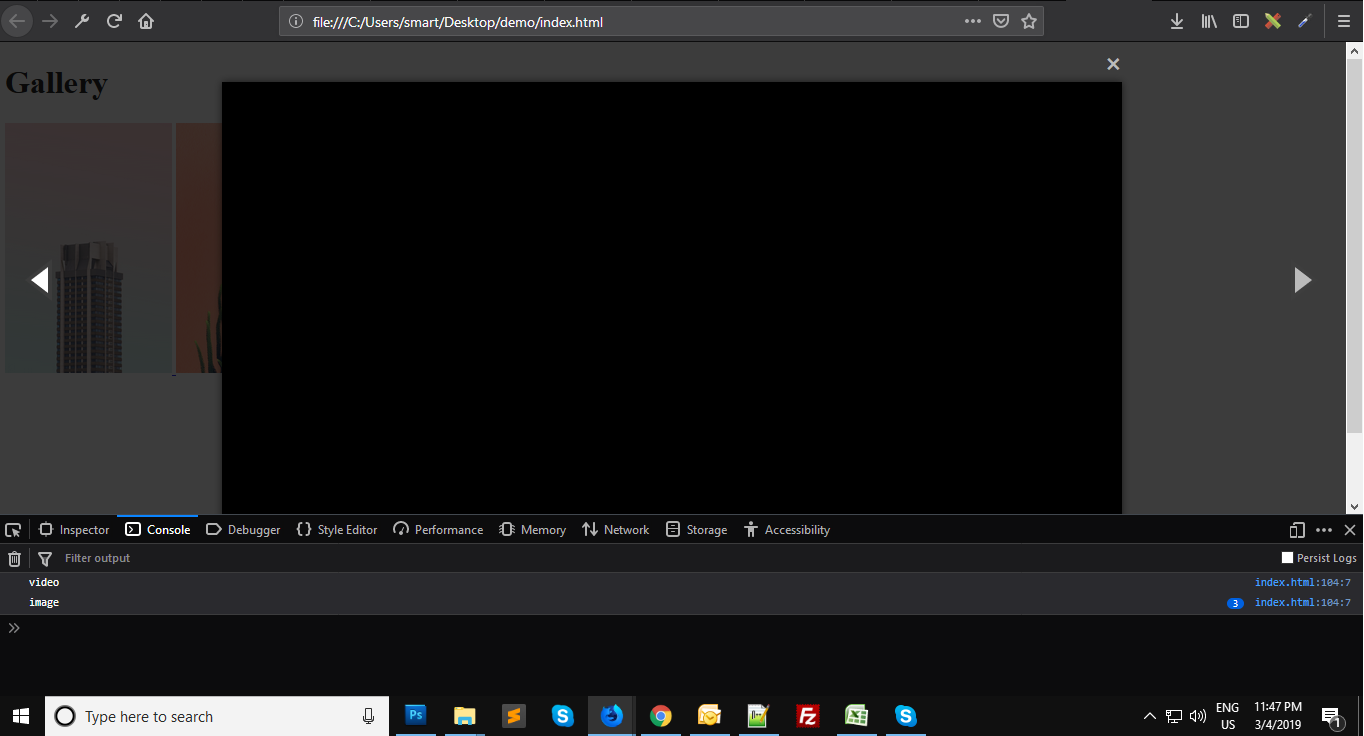
can you please share update or any solutions for that.
Thanks advanced.

thanks man . very helpfull ...

<script>
$(document).ready(function() {

    $('.popup-gallery').magnificPopup({
        delegate: 'a',
        type: 'image',
        gallery: {
            enabled: true,
            navigateByImgClick: true,
            preload: [0, 1] // Will preload 0 - before current, and 1 after the current image
        },
        callbacks: {

            elementParse: function(item) {

                if(item.el[0].className == 'video') {
                    item.type = 'iframe';
                } else {
                    item.type = 'image';
                }
            }

        },

    });

});
</script>
Are JQ to change this to:
	    callbacks: {
	      	elementParse: function(item) {
	        	if(item.el.hasClass("multiple_gallery_video")){
	        		console.log("multiple_gallery_video")
	        		item.type = 'iframe';
	        	}else {
	                item.type = 'image';
	            }
	            console.log(item); // Do whatever you want with "item" object
	      	}
	    },
This works

I've corrected the code and made HTML example: https://github.com/sunzxs/magnific-popup-image-and-video-slider
thanks, you are the best!

Thanks.! it worked .!

<script>
$(document).ready(function() {

    $('.popup-gallery').magnificPopup({
        delegate: 'a',
        type: 'image',
        gallery: {
            enabled: true,
            navigateByImgClick: true,
            preload: [0, 1] // Will preload 0 - before current, and 1 after the current image
        },
        callbacks: {

            elementParse: function(item) {

                if(item.el[0].className == 'video') {
                    item.type = 'iframe';
                } else {
                    item.type = 'image';
                }
            }

        },

    });

});
</script>
Are JQ to change this to:
	    callbacks: {
	      	elementParse: function(item) {
	        	if(item.el.hasClass("multiple_gallery_video")){
	        		console.log("multiple_gallery_video")
	        		item.type = 'iframe';
	        	}else {
	                item.type = 'image';
	            }
	            console.log(item); // Do whatever you want with "item" object
	      	}
	    },
This works
Thank you so much !!! You saved me!

How to add titleSrc to iframe type? Thx
Sign up for free
to join this conversation on GitHub.
Already have an account?
Sign in to comment
Please show html expample