
Created
June 27, 2019 22:42
-
-
Save jebyrnes/f3f626aa24f565d78003f05aab4d0372 to your computer and use it in GitHub Desktop.
This file contains hidden or bidirectional Unicode text that may be interpreted or compiled differently than what appears below. To review, open the file in an editor that reveals hidden Unicode characters.
Learn more about bidirectional Unicode characters
| #Rayshader reprex to try and put a flat raster map under a | |
| #set of 3d points | |
| library(rayshader) | |
| library(ggplot2) | |
| library(dplyr) | |
| library(maps) | |
| library(ggmap) | |
| data(world.cities) | |
| japan <- world.cities %>% filter(country.etc == "Japan") %>% | |
| filter(pop > 1e6) | |
| japan_map <- get_stamenmap(bbox = c(left = min(japan$long), | |
| bottom = min(japan$lat), | |
| right = max(japan$long)+3, | |
| top = max(japan$lat)+3), | |
| maptype = "watercolor", | |
| zoom = 5) | |
| #plot together | |
| together_plot <- ggmap(japan_map) + | |
| geom_point(data = japan, | |
| aes(x = long, y = lat, color = pop)) + | |
| scale_color_viridis_c(option = "C") | |
| #Separate plots | |
| map_plot <- ggmap(japan_map) | |
| point_plot <- ggplot() + | |
| geom_point(data = japan, | |
| aes(x = long, y = lat, color = pop)) + | |
| scale_color_viridis_c(option = "C") | |
| #together | |
| plot_gg(together_plot,multicore=TRUE, | |
| width=4, | |
| height=4, | |
| scale=250, | |
| windowsize = c(1000,800)) | |
| render_camera(zoom = 0.5, theta = 130, phi = 35) | |
| render_snapshot("together.png") | |
| #Apart | |
| plot_gg(list(map_plot, point_plot),multicore=TRUE, | |
| width=4, | |
| height=4, | |
| scale=250, | |
| windowsize = c(1000,800)) | |
| render_camera(zoom = 0.5, theta = 130, phi = 35) | |
| render_snapshot("apart.png") | |
| #apart2 | |
| plot_gg(list(point_plot, map_plot),multicore=TRUE, | |
| width=4, | |
| height=4, | |
| scale=250, | |
| windowsize = c(1000,800)) | |
| render_camera(zoom = 0.5, theta = 130, phi = 35) | |
| render_snapshot("apart2.png") | |


Author
OK, cool. So the basic point is to blank out the layer you want flat in one ggplot? Let's see if this holds in general for a polygon...
library(sf)

japan_poly <- sf::st_as_sf(map("world", plot = FALSE, fill = TRUE)) %>%
  filter(ID=="Japan")

#A plot we want to see
point_plot_poly <- ggplot() +
  geom_sf(data = japan_poly) +
  geom_point(data = japan,
             aes(x = long, y = lat, color = pop)) +
  scale_color_viridis_c(option = "C")


#A plot with japan blanked out, but included
together_plot_poly <- ggplot() +
  geom_sf(data = japan_poly, alpha = 0, color = NA, fill = NA) +
  geom_point(data = japan,
             aes(x = long, y = lat, color = pop)) +
  scale_color_viridis_c(option = "C")


#combine!
plot_gg(list(point_plot_poly,together_plot_poly),multicore=TRUE,
        width=4.5,
        height=4.5,
        scale=250,
        windowsize = c(1000,800))
YES!
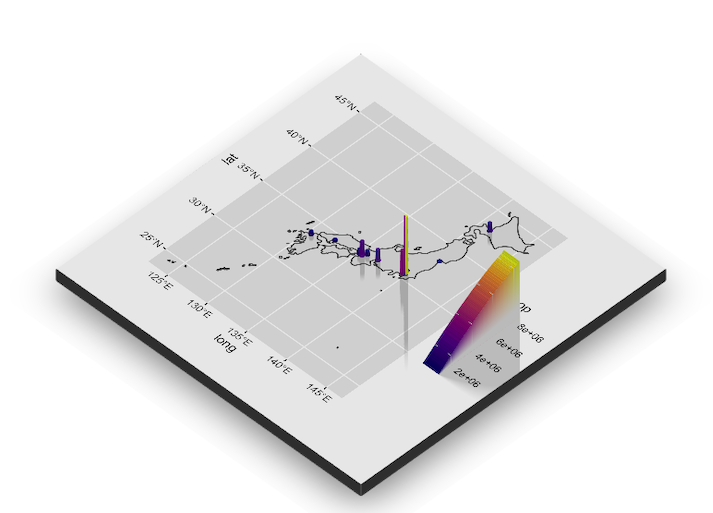
Note, I initially tried this with just alpha = 0, but, didn't work - really needed to blank the whole thing.
Author
Works for rasters, too!
Make a raster from the polygon
library(raster)
library(fasterize)
ref_rast <- raster(japan_poly, res = 0.1)
japan_rast <- fasterize(japan_poly, raster = ref_rast)
Use RStoolbox to plot the raster
library(RStoolbox)

#A plot we want to see
point_plot_rast <- ggR(japan_rast) +
  geom_point(data = japan,
             aes(x = long, y = lat, color = pop)) +
  scale_color_viridis_c(option = "C")


#A plot with japan blanked out, but included
together_plot_rast <- ggR(japan_rast, alpha = 0) +
  geom_point(data = japan,
             aes(x = long, y = lat, color = pop)) +
  scale_color_viridis_c(option = "C")


plot_gg(list(point_plot_rast,together_plot_rast),multicore=TRUE,
        width=4.5,
        height=4.5,
        scale=250,
        windowsize = c(1000,800))
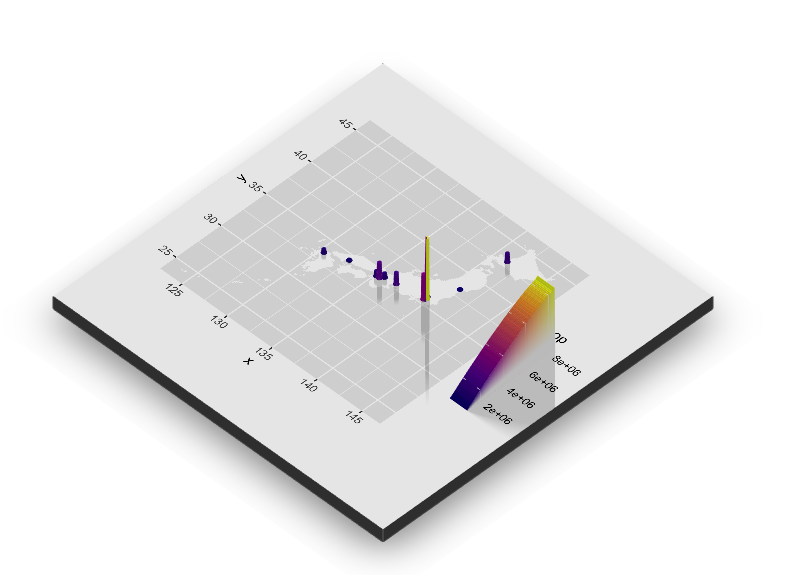

Nice example @tylermorganwall .
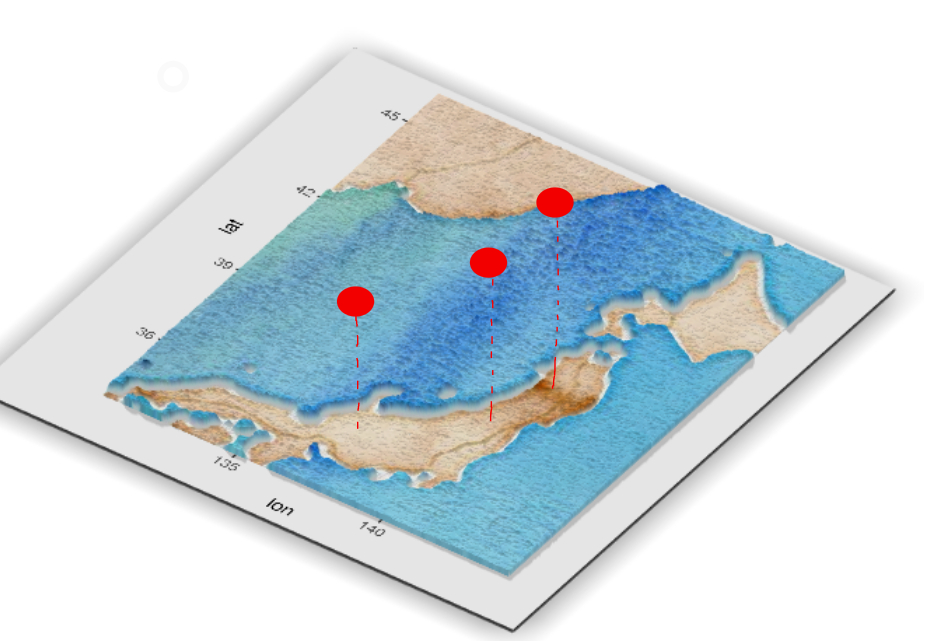
I've been trying to plot a similar image with a slightly different approach: instead of showing geom_points() as "bars" in the 3d plot, I'm trying to use floating points. Do you have any thoughts on how I can do it?
Sign up for free
to join this conversation on GitHub.
Already have an account?
Sign in to comment
Since this uses ggmap, you have to do some manual manipulation of that object to get this to plot correctly. Here, I make the map transparent:
Here are the two ggplots:
I use the map with a transparent ggmap layer as the height layer, and drape the full one with the stamen layer on top of it (using the list interface in
plot_gg()). I also increased the size slightly to prevent some overlap between two points.